Summary & Outlook

Research Data Management for Psychology and Neuroscience
Course at Julius-Maximilians-Universität Würzburg, RTG 2660: Approach-Avoidance
Slides | Source

License: CC BY 4.0

16:00

1 Summary & Outlook

How are you now?

Schedule

Day 1

Day Date Time Title
1 2026-05-07 09:00 - 09:30 Welcome and Introduction to Research Data Management
1 2026-05-07 09:30 - 10:30 Project & Data Organization
1 2026-05-07 10:30 - 11:30 Data Management Plans (DMPs)
1 2026-05-07 11:30 - 12:30 Lunch Break
1 2026-05-07 12:30 - 13:30 Command Line
1 2026-05-07 13:30 - 14:30 Best practices for rectangular data
1 2026-05-07 14:30 - 16:00 Brain Imaging Data Structure (BIDS)

Day 2

Day Date Time Title
2 2026-05-08 09:30 - 10:00 Introduction to Version Control
2 2026-05-08 10:00 - 12:00 Version Control of Data with DataLad
2 2026-05-08 12:00 - 13:00 Lunch Break
2 2026-05-08 13:00 - 14:00 Data publication
2 2026-05-08 14:00 - 16:00 Data Infrastructure: Nextcloud
2 2026-05-08 16:00 - 16:30 Summary & Outlook

Objectives

Introduction to Research Data Management

💡 You know what reproducibility is.
💡 You can argue why reproducibility is essential for research.
💡 You recognize the importance of research data management (RDM).
💡 You can explain why RDM is relevant for reproducibility and reuse of data.
💡 You can define reproducibility and explain its relationship to RDM.

Project Organization

💡 You understand the importance of well-structured data organization for research.
💡 You can design logical and intuitive folder structures.
💡 You can apply file naming best practices and unique identifiers.
💡 You understand ISO 8601 timestamps and proper sorting methods.
💡 You can choose appropriate file formats for preservation.
💡 You can implement effective document versioning strategies.
💡 You understand ASCII/UTF-8 encoding advantages for text files.
💡 You can identify and solve common file organization problems.

Data Management Plans

💡 You understand the importance of Data Management Plans (DMPs) for research projects.
💡 You can identify key components that should be included in a comprehensive DMP.
💡 You can explain how DMPs support FAIR research data management practices.
💡 You can use tools like RDMO to create and maintain a Data Management Plan.
💡 You understand funder requirements and institutional support for data management planning.

Objectives (continued)

Command Line

💡 You can name the advantages of command-line interfaces.
💡 You can navigate directories using absolute and relative paths.
💡 You can use shortcuts like the tilde or dots to navigate your file system.
💡 You can apply arguments and flags to customize command-line commands.
💡 You can use wildcards (*) for file selection.
💡 You can combine command-line commands.

Rectangular Data

💡 You can apply the 12 rules of rectangular data to organize research datasets effectively.
💡 You understand the principles of tidy data and can identify when data meets tidy data criteria.
💡 You can convert between wide and long data formats.
💡 You can implement data validation techniques to detect and prevent common data entry errors.
💡 You can apply best practices for file naming and data organization in research projects.
💡 You can identify and fix problems such as empty cells, inconsistent formatting, and mixed data types.
💡 You understand the importance of data dictionaries and can create them for your datasets.

Brain Imaging Data Structure (BIDS)

💡 You understand what BIDS (Brain Imaging Data Structure) is and why it’s important for neuroimaging.
💡 You can explain the core principles of BIDS and how it solves common data organization problems.
💡 You can organize neuroimaging data according to BIDS directory structure standards.
💡 You understand the role of JSON metadata files and TSV data files in BIDS datasets.
💡 You know how to validate BIDS datasets using the BIDS validator.
💡 You understand the benefits of using BIDS for collaboration, reproducibility, and data sharing.

Objectives (continued)

Introduction to Version Control

💡 You know what version control is.
💡 You can argue why version control is useful (for research).
💡 You can name benefits of Git compared to other approaches to version control.
💡 You can explain the difference between Git and GitHub.

Introduction to DataLad

💡 You know how to configure your username and email address in Git.
💡 You can create a new DataLad dataset.
💡 You know how to check the status of a DataLad dataset.
💡 You can save data in a DataLad dataset.
💡 You know about different configurations of DataLad datasets.

Nesting with DataLad

💡 You can install an existing DataLad dataset as a subdataset.
💡 You can get and drop data in a DataLad dataset as needed.
💡 You know how to navigate nested DataLad datasets.
💡 You know how to access data in nested DataLad datasets recursively.

Objectives (continued)

Provenance with DataLad

💡 You can link analyses to inputs and outputs using DataLad.
💡 You can execute a rerun of a previous analysis with DataLad
💡 You know how to establish provenance and reproducibility using DataLad.

Data Publication

💡 You understand the importance of data publication for FAIR research data management.
💡 You can write Data Availability Statements for research articles.
💡 You know how to choose appropriate licenses for research data.
💡 You understand the role of persistent identifiers in ensuring reliable data access.
💡 You can select suitable repositories for different types of research data.
💡 You are aware of legal considerations when publishing research data.

Data Infrastructure

💡 You know what Nextcloud is and its capabilities.
💡 You can navigate the Nextcloud web interface and describe its main areas.
💡 You know the typical features of Nextcloud, including file management, sharing, versioning, and collaborative editing.
💡 You understand the different access methods for Nextcloud (web, desktop clients, mobile apps, WebDAV/API).
💡 You can integrate Nextcloud with DataLad using WebDAV for automated research data workflows.

2 There’s more …

More challenges for reproducible scientific workflows

Version Control (with Git)
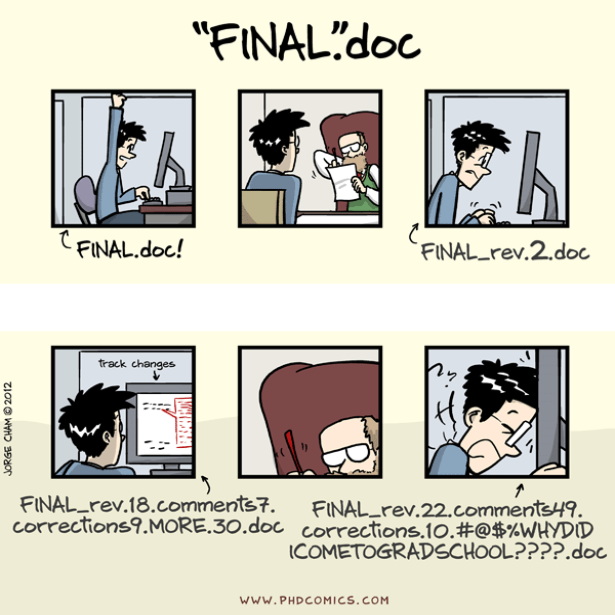
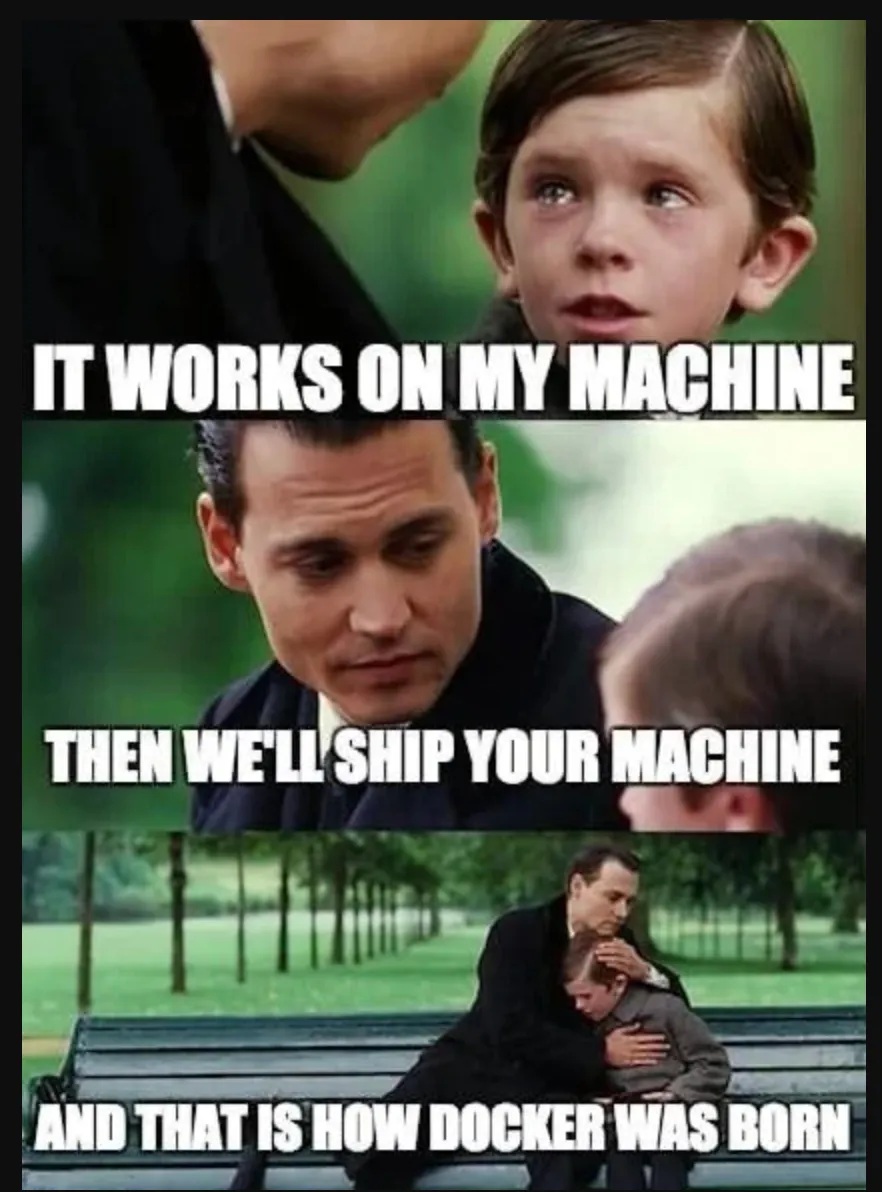
Computational Environments
Git Course

https://lennartwittkuhn.com/version-control-course-uhh-2024/

Tags, releases, DOIs (with Git): Integration with Zenodo

Zenodo, a CERN service, is an open dependable home for the long-tail of science, enabling researchers to share and preserve any research outputs in any size, any format and from any science.” – from the Zenodo GitHub README

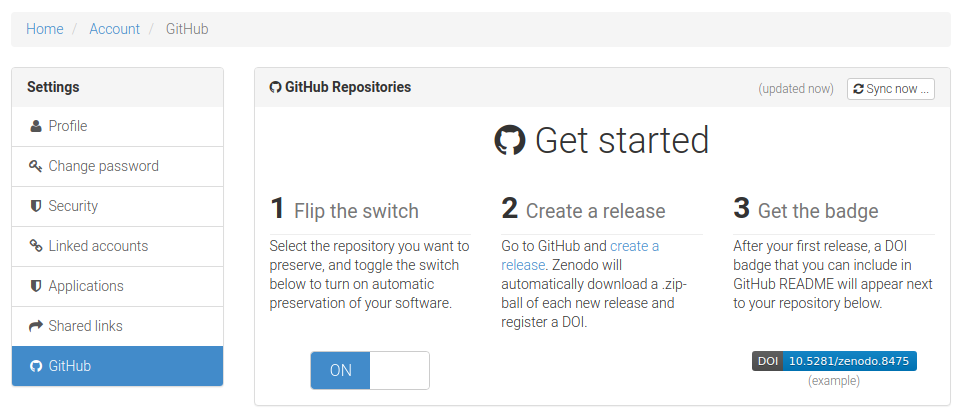
Integrate your repository on GitHub with Zenodo

To make your repositories easier to reference in academic literature, you can create persistent identifiers, also known as Digital Object Identifiers (DOIs). You can use the data archiving tool Zenodo to archive a repository on GitHub.com and issue a DOI for the archive.” – Details in the GitHub documentation

  1. Navigate to the login page for Zenodo.
  2. Click Log in with GitHub.
  3. Review the information about access permissions, then click Authorize zenodo.
  4. Navigate to the Zenodo GitHub page.
  5. To the right of the name of the repository you want to archive, toggle the button to On.

See our book chapter on “Tags & Releases”.
Continuous Integration & Deployment (CI/CD)
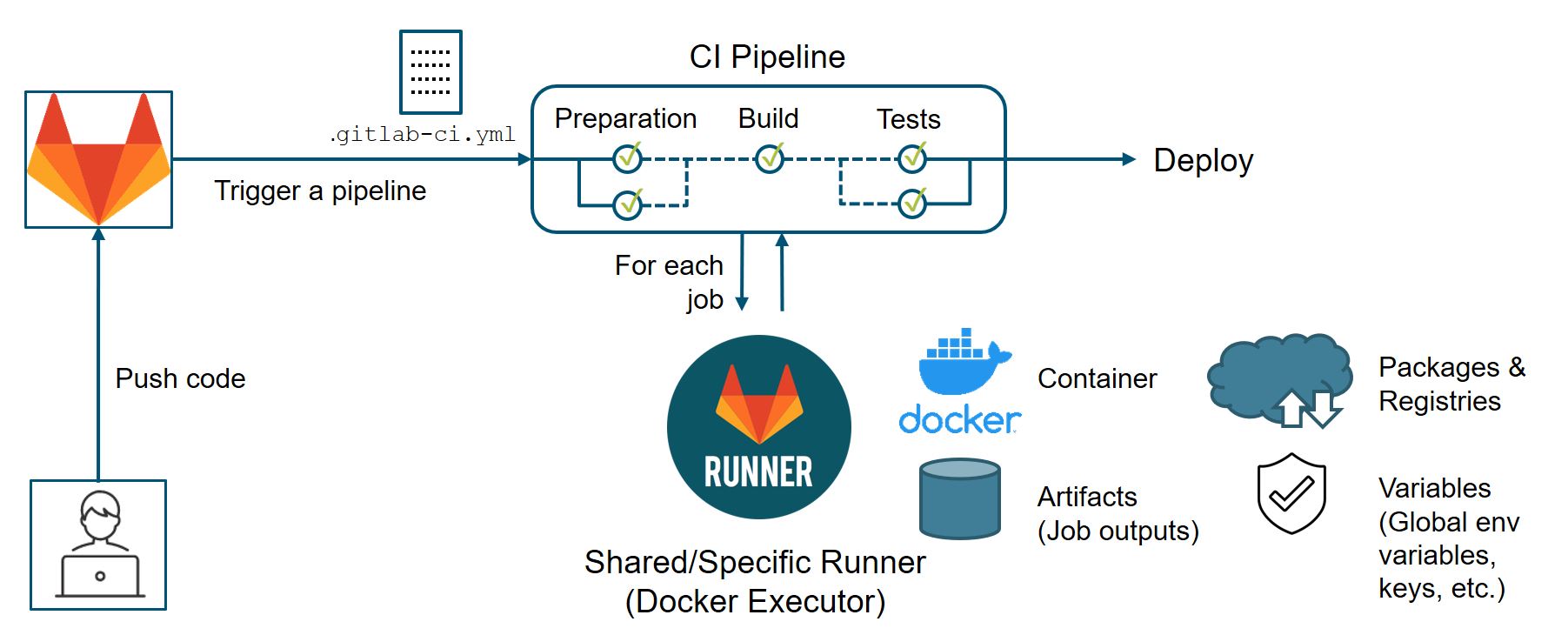
from Suresoft

Example: Course repository

  • Automated spell check
  • Rebuilding of project website

https://github.com/lnnrtwttkhn/rdm-course-jmu-rtg-2660-2026/

3 Discussion

Science as distributed open-source knowledge development 1

How can we do better science?
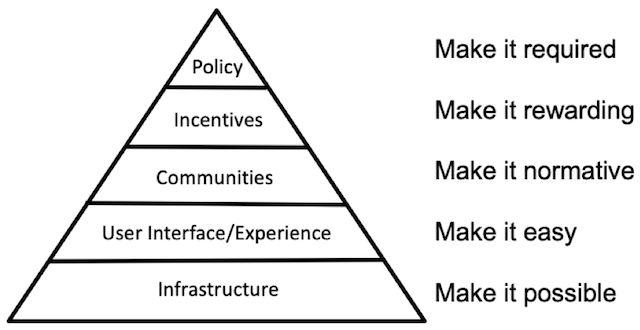
The long-term challenges are non-technical

  • open-source, avoiding commercial vendor lock-in
  • adopting new practices and upgrading workflows
  • moving towards a “culture of reproducibility” 2
  • changing incentives, policies & funding schemes

Technical solutions already exist!

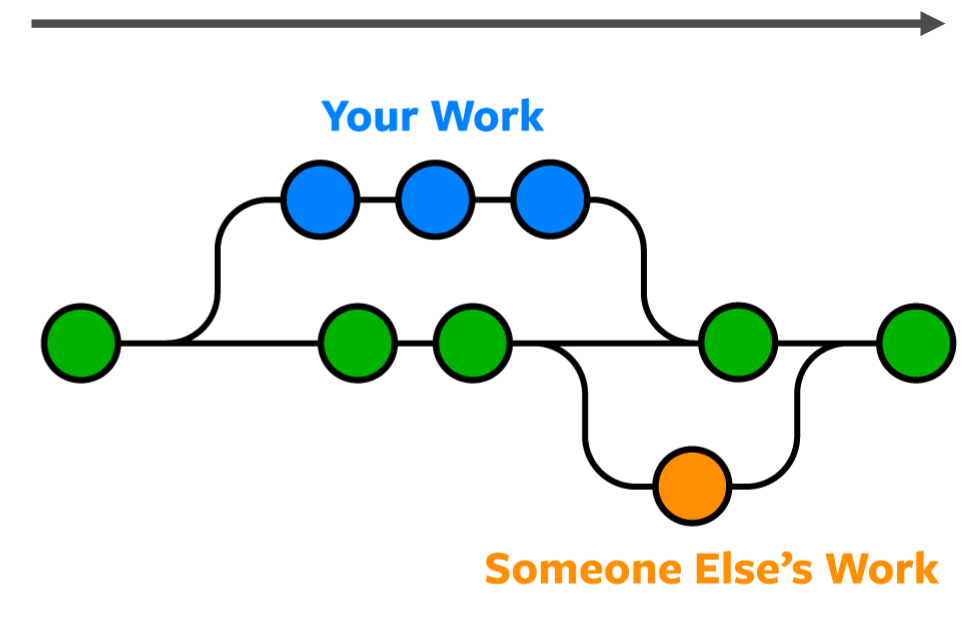
  • Version control of digital research outputs (e.g., Git, DataLad)
  • Integration with flexible infrastructure (e.g., GitLab)
  • Systematic contributions & review (e.g., pull/merge requests)
  • Automated integration & deployment (e.g., CI/CD)
  • Reproducible computational environments (e.g., Docker)
  • Transparent execution and build systems (e.g., GNU Make)
  • Project communication next to code & data (e.g., Issues)
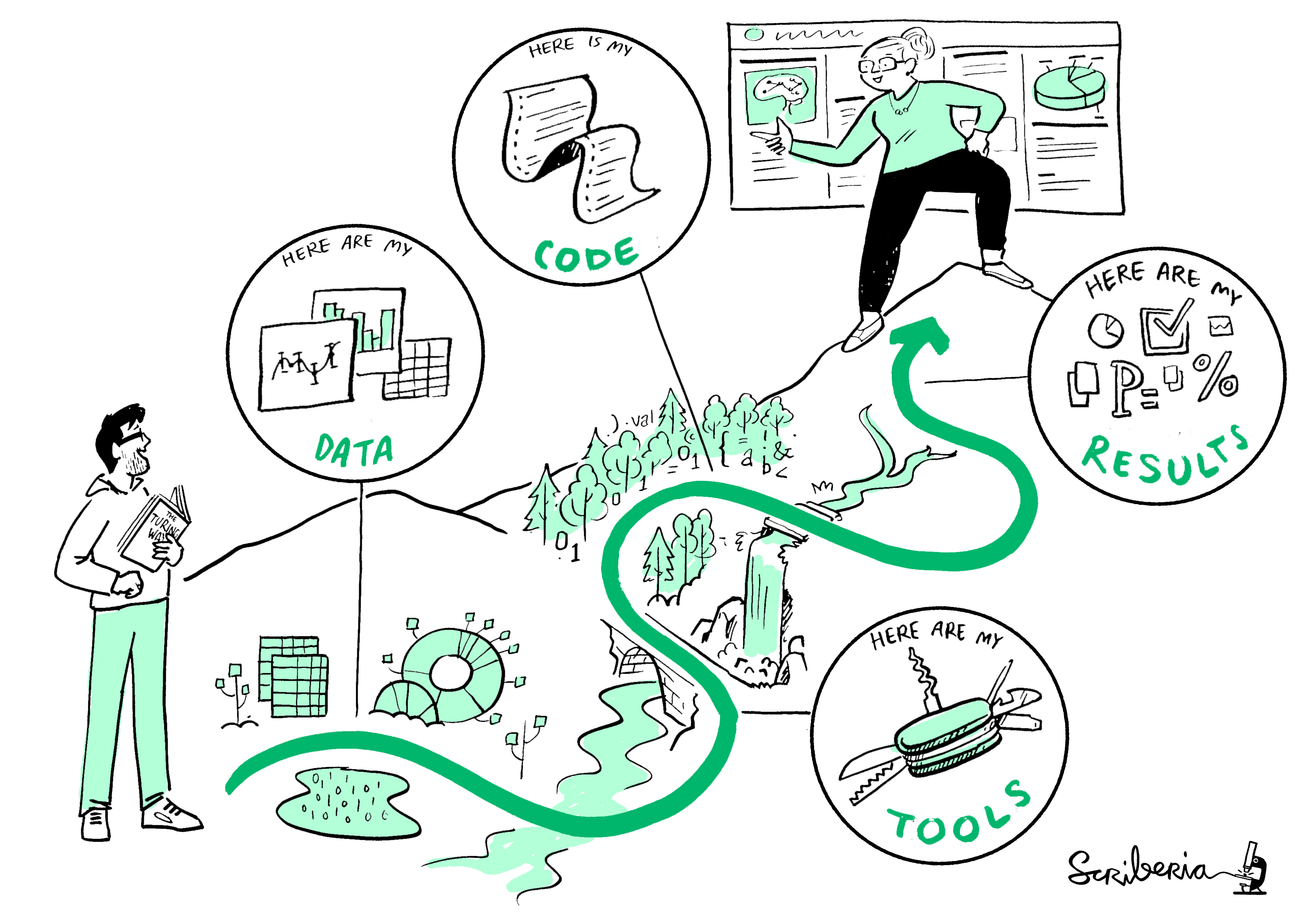
Reproducibility is a spectrum and a journey

4 Feedback

Feedback

  • Please complete the feedback survey: https://rdm.course-feedback.formr.org/
  • This should not take much longer than 15 minutes.
  • Ignore any references to the course “Version Control with Git”

5 Questions?

References

The Turing Way Community. (2022). The turing way: A handbook for reproducible, ethical and collaborative research. Zenodo. https://doi.org/10.5281/zenodo.3233853.

Footnotes

  1. inspired by Richard McElreath’s “Science as Amateur Software Development” (2023)

  2. see “Towards a culture of computational reproducibility” by Russ Poldrack, Stanford University